Transform your notification shade with powerful customization options, themes, and convenient quick access controls
Transform your notification shade with powerful customization options, themes, and convenient quick access controls
Vote (17 votes)
Program license Free
Developer ZipoApps
Version 18.5.11
Works under Android
Also known as One Shade
Vote
(17 votes)
Developer
ZipoApps
Works under
Android
Program license
Free
Version
18.5.11
Also known as
One Shade
Pros
- Comprehensive visual and functional customization
- Does not require root access
- Enhanced notification management and grouping
- Easy one-handed controls
- Broad device compatibility
Cons
- UI design lags behind the most recent Android versions
- Contains ads in the free version
- Occasional stability issues on some devices
Transform your device’s notification shade with rich customization options.
Overview
One Shade: Custom Notification is a feature-packed Android personalization tool by ZipoApps designed to enhance and replace the default notification panel and quick settings menu on your device. With a strong focus on customization, the app brings greater control, flexibility, and aesthetic options that go beyond the native Android offerings, appealing particularly to users who want a tailored smartphone experience without the need for root access.
Feature Set
One Shade offers an impressive suite of personalization options for both visual style and functionality:
- Custom Themes: Choose from a palette of themes or craft your own by customizing colors, gradients, and backgrounds. Accent colors, notification card styles, and transparency settings let users match the shade with any device theme.
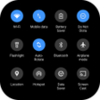
- Quick Settings Customization: Rearrange, add, or remove toggles such as Wi-Fi, Bluetooth, brightness, and more. Adjust icon shapes and grid layouts according to personal preference.
- Notification Management: Enhanced notification grouping automatically organizes multiple alerts from the same app. Each notification can be expanded, snoozed, or dismissed directly from the shade for streamlined management.
- Media Controls: Built-in media player controls make it easy to manage music or podcasts without unlocking your device or opening specific apps.
- Smart Reply Integration: For messaging apps that support it, One Shade surfaces smart reply suggestions directly in notifications, speeding up responses.
- Accessibility Enhancements: The brightness slider appears lower on the screen for easier one-handed access, and support for adaptive icon shapes boosts accessibility for a variety of users.
User Experience
Designed with Google’s Material You aesthetic in mind, One Shade integrates well with modern Android UIs. Visual transitions are smooth, and the application responds quickly to gestures and user input. Setting up and customizing the app is intuitive, with helpful previews displaying the impact of each modification before applying it system-wide.
A notable strength is the level of control available without requiring root permissions, making advanced customization accessible for a broad user base. However, users interested in the very latest Android UI designs may notice that the app’s base layout mirrors an Android 11-style interface, missing some elements from the most recent Android versions.
Performance
Most functions run reliably, with notification updates and quick setting toggles appearing without noticeable lag. Some users have encountered occasional glitches, such as force closures or overlays not applying as expected, particularly on heavily customized or older Android systems. Updates from the developer are frequent, often addressing reported bugs and introducing new features.
Monetization and Ads
One Shade is free to use and supported by ads, with additional features and ad removal available via in-app purchases. All core customization features remain accessible to free-tier users, ensuring value even for those who opt not to upgrade.
Compatibility
The app works with most devices running Android Lollipop (5.0) and newer, though individual options may vary depending on device manufacturer overlays (such as Samsung’s One UI or Xiaomi’s MIUI).
Pros
- Comprehensive visual and functional customization
- Does not require root access
- Enhanced notification management and grouping
- Easy one-handed controls
- Broad device compatibility
Cons
- UI design lags behind the most recent Android versions
- Contains ads in the free version
- Occasional stability issues on some devices